How to Choose a Screen Translator: 5 Things That Actually Matter
Search "screen translator" and the results page throws up a dozen names: screenshot translation websites, browser extensions, open-source tools, paid software. Install them one by one, and a week later you'll uninstall them one by one. Choosing is hard not because tools are scarce, but because there's no yardstick — most people use "how accurate is the translation" as the criterion, and only after installing do they realize that what actually spoils the experience is never translation quality.
Why "translation accuracy" isn't the right selection criterion
The mainstream tools all plug into the same handful of translation models, so the gap in translation quality is far smaller than you'd imagine. What really separates the experiences are two easily overlooked things: whether the translation keeps up with the content as it moves, and whether it lands back in its original place. A screenshot translation website can be perfectly accurate, but it only answers "what does this sentence mean"; what you want is "I can keep reading this content from start to finish." Put the yardstick in the wrong place and you'll hit the same pit with ten different tools — that's why your decision should start from the experience itself, not the model.
5 decision points, one by one
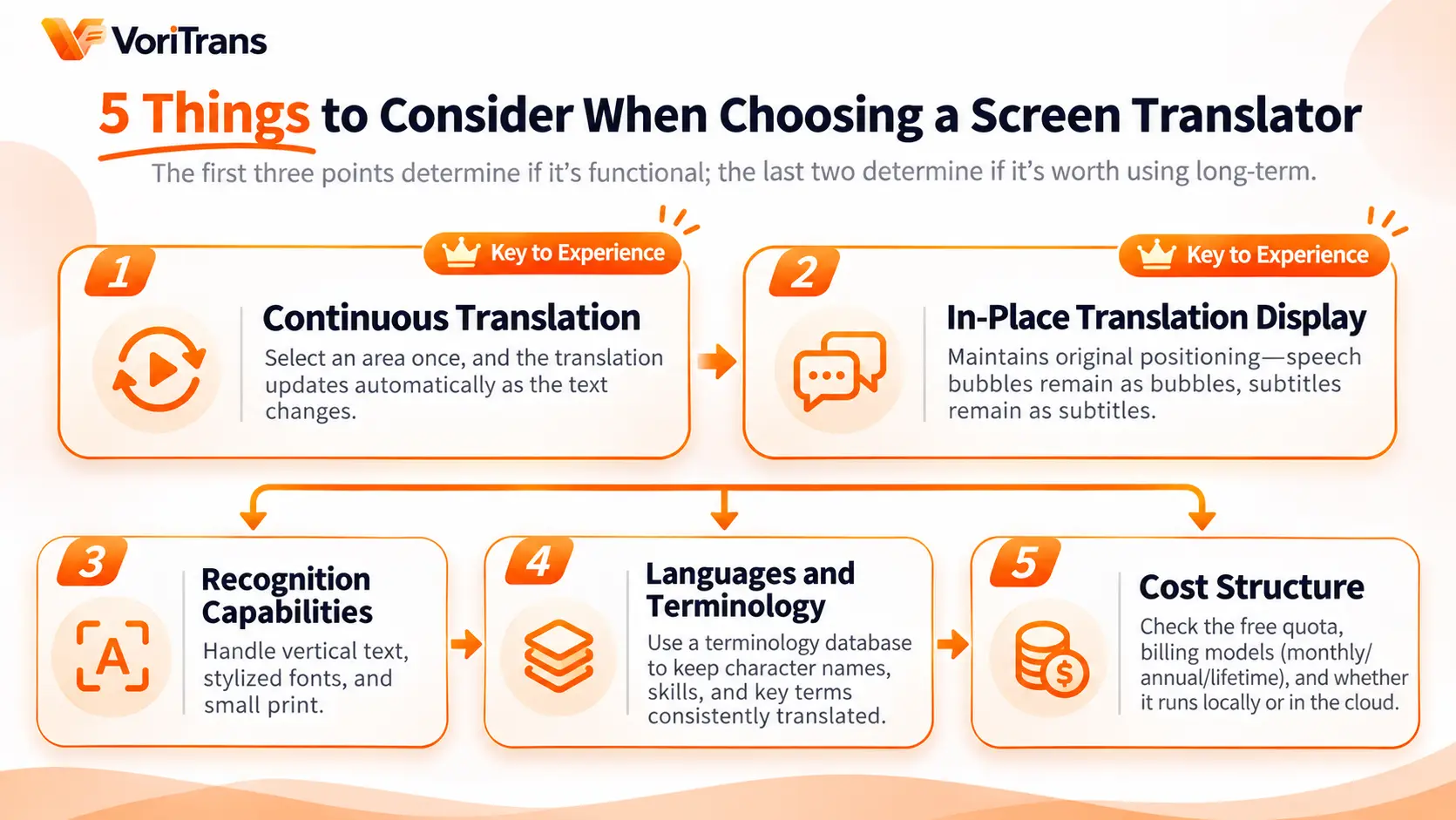
The five below are ranked by importance: the first three decide whether a tool is usable at all, the last two decide whether you'll still be using it months later:
- Continuous translation: Frame a region once and the tool re-translates automatically as on-screen text changes — the next line of dialogue, scrolling subtitles, all picked up automatically, no repeated screenshots. Tools that only do one-shot translation will shred your reading rhythm into fragments.
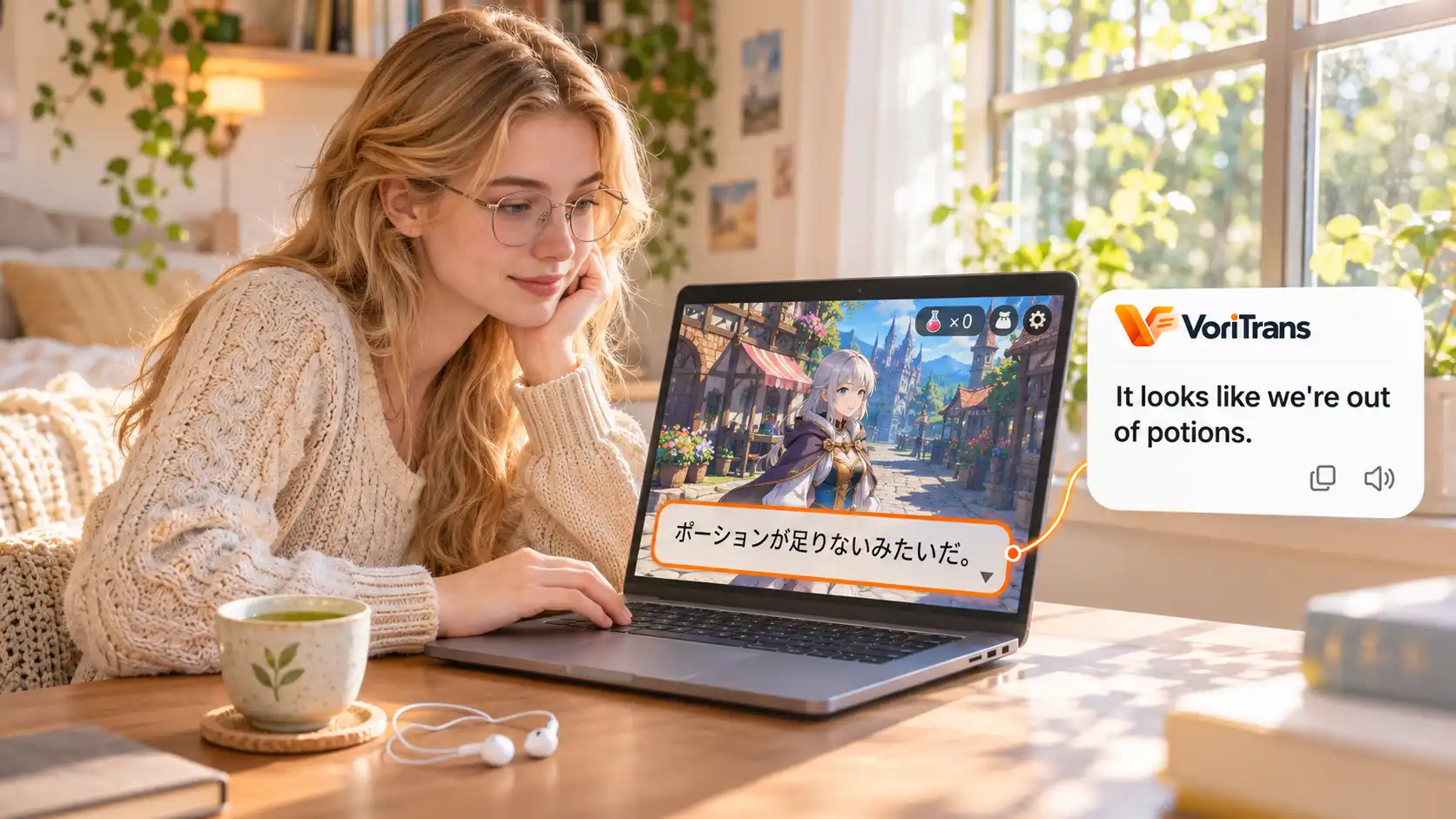
- In-place translation display: The translation covers the original text right where it was — speech bubbles stay in speech bubbles, subtitle bars stay in subtitle bars. Tools that pile the translation into a sidebar and make you match it against the original yourself fall apart the moment you read comics.
- Recognition quality: How well the OCR handles vertical text, stylized fonts, and small type. Vertical Japanese is an unavoidable threshold for reading original manga, and game UI text is tiny and sits on busy backgrounds — whether recognition holds up directly decides usability.
- Languages and terminology: Does the combination of source and target languages cover your needs? For long-running works, also check for a glossary and custom prompts — if the protagonist's name comes out three different ways in one title, every bit of foreshadowing reads wrong.
- Cost structure: How the free quota is granted, what gets counted against it, and how local models differ from cloud models. Some tools let you run your daily reading entirely on the free tier; others hit the paywall after a few pages. Calculate cost by your own usage — don't decide on the words "free version" alone.
A ten-minute test — don't just read the landing page
The first three criteria can't be judged from screenshots, and nothing beats installing it and running it once. Taking VoriTrans as an example (a Windows client, available from the official download page):
Step 1: Pick the right content type. Open the client and switch the "content type" at the top to game mode, manga mode, or video mode, depending on what you're testing.
Step 2: Frame a region once. Use "select region" to frame an area where the content changes, such as a game text window; turn on the "auto translate" toggle at the bottom left, and set "translation mode" at the bottom to "overlay in place".
Step 3: Make the content move. Advance the dialogue or turn the page and see whether the translation refreshes automatically and lands back in position; also switch to "subtitle bar" mode and compare which display style reads more comfortably.
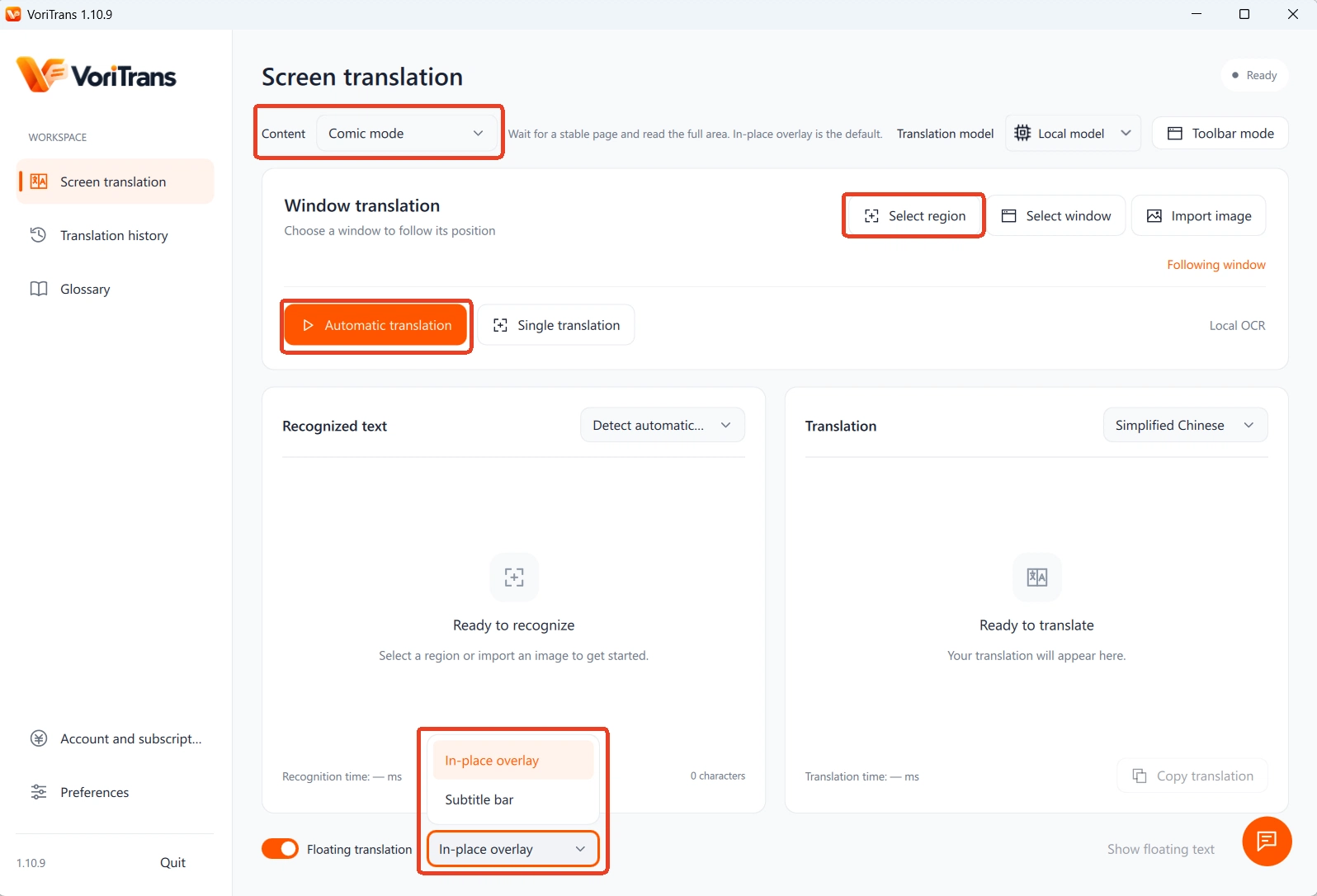
Step 4: Check the details. Add a custom translation entry in the "glossary" on the left and see whether it takes effect on the next translation; then frame a page of vertical text to test recognition.
Once you've run through the four steps, you have first-hand answers to the first four decision points. The principles behind screen translators and the fit for each scenario are covered in more detail in our earlier article What is a screen translator — worth reading alongside this one.
Match the tool to your needs
The five criteria apply to everyone, but the emphasis differs from person to person:
- Heavy gamers (RPGs, visual novels, galgames): prioritize continuous translation and the glossary. In text-heavy titles, inconsistent character names hurt the experience more than outright mistranslations.
- Manga readers: focus on vertical-text recognition and bubble layout. Whether translations fit back into bubbles and whether panel order stays intact — one page is enough to find out.
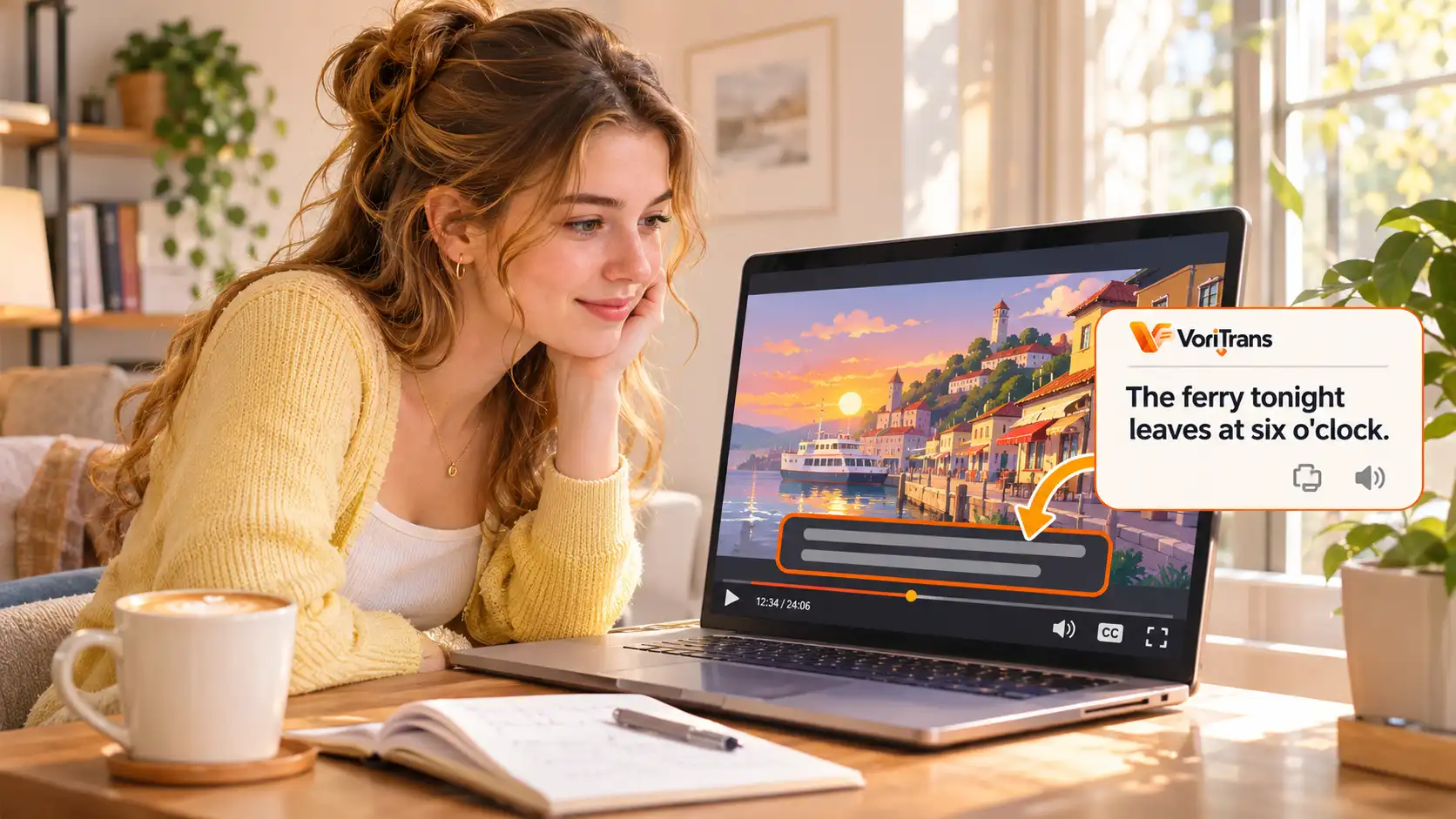
- Video watchers: check how well subtitle bar mode keeps up. On-screen text changes fast, and a slow refresh is as good as no translation at all.
- Occasional lookups: the free quota is usually enough, and even a screenshot translation website will do. There's no need to make a long-term subscription decision for this kind of need.
Two reminders to avoid disappointment
First, no tool is universally compatible. Fullscreen exclusive mode, anti-cheat systems, and specially protected screens can all hit recognition limits. The common workaround is running the game windowed or borderless; for a specific title, check the official notes first — don't count on the "supports all games" claim on the landing page.
Second, calculate cost by usage. Take VoriTrans: the local model runs on free credits — 1,000 per month for guests, 2,000 after registering — enough to get through one manga chapter or one game chapter and reach a verdict. When your usage grows, compare membership plans; the rules are authoritative on the official pricing page. Choosing a tool is essentially trading a ten-minute trial for a long-term experience: run through the five decision points and the four-step test, and the answer will surface on its own.
FAQ
Is a free screen translator good enough?
It depends on the tool and on your usage. Take VoriTrans: guests get 1,000 free credits per month, 2,000 after registration, usable with the local translation model — enough to get through a short work; the local model costs nothing extra, and you can consider membership once your usage grows. The reliable way to judge is to test with your own real content for an evening, not to read the landing page.
Open-source tool or commercial software?
Open-source tools are free and endlessly hackable, but you set up the environment and tune the parameters yourself, and recognition quality depends on your configuration. Commercial software works out of the box, with scenario adaptations included. If you enjoy tinkering, choose open source; if you want to install and use, choose commercial software. The judging criteria are still those 5 points — open source or not has nothing to do with it.
Can a screen translator translate game voice audio?
No. These tools work on text already displayed on the screen; speech transcription and voice dubbing are out of scope. As long as the game dialogue has subtitles or a text box, it's within reach — content that is pure voice with no subtitles can't be translated.