Free Screen Translation: What You Can Do with Free Credits
When you want to try a real-time translation tool, the biggest hesitation usually isn't the features — it's the money: is the free version genuinely usable, or do you just get two trial runs before a paywall pops up? Credit systems sound complicated; what are the actual rules in practice? This article explains in one go how the free allowance is granted, how credits are deducted, and how to top up once they run out — match it against your own usage.
Just How Far Does the Free Real-Time Translation Go?
In many tools, "free" is just a storefront: either a three-day trial or a 200-character limit per article. Credits work on a different logic — translation volume is converted into credits, a batch is issued every month, and you spend them as you see fit.
Take VoriTrans as an example — the free rules are refreshingly straightforward:
- Use it as a guest: install the Windows client and you get 1,000 credits a month without registering or logging in, valid for the current month;
- More after sign-up: once you create an account, free credits rise to 2,000 per month;
- Scope: free credits are used for the local translation model — plenty to get started with verifying its capabilities and covering everyday reading.
How much will 1,000 credits translate? The exact rules are in the next section. As a rough feel: running it through a short manga or a stretch of a game's main story — enough to judge whether this tool suits you — is comfortably within reach. The point of the free tier isn't to freeload forever; it's to let you verify recognition quality on real content before you decide whether to invest.
How Credits Are Deducted: Two Steps, Two Types of Model
The billing rules of a credit system are more transparent than "flat monthly unlimited" — provided you know what it's counted by.
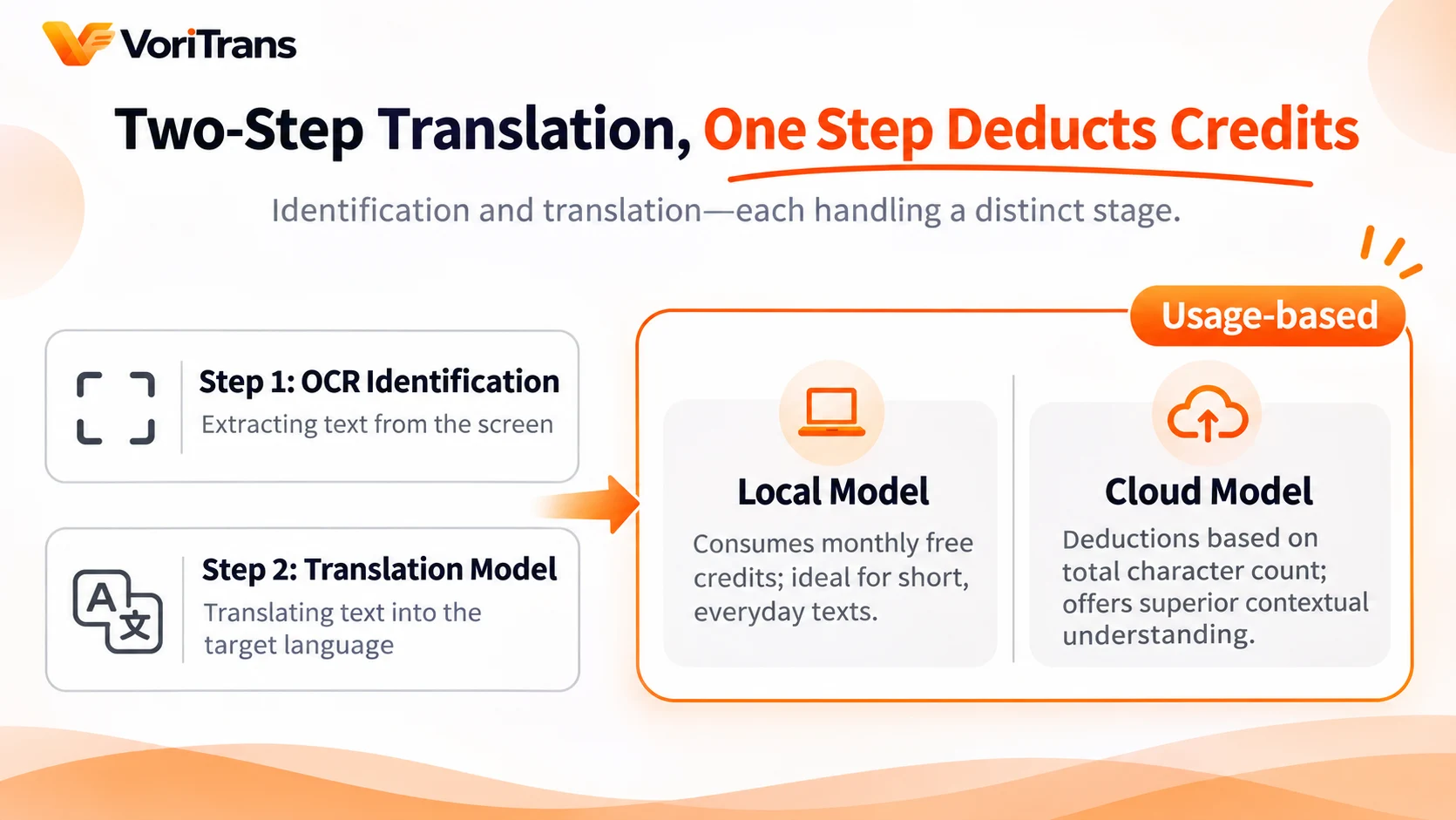
Translation happens in two steps: OCR recognizes the text on screen, and the translation model turns the recognized result into your target language. Credits are charged at the translation step, and local and cloud models are counted differently:
- Local model: consumes free credits, deducted by usage. It runs on your own machine, and short text like everyday dialogue or manga lines costs very little — 1,000 credits is a comfortable scale for light users.
- Cloud models (Qwen, DeepSeek, GLM): better at context and long sentences; they draw from your credit pool and are billed on the total number of input plus output characters. The rules follow the official pricing page.
One practical money-saving tip: run short conversations on the free local model, and switch to the cloud model for important chapters to compare translations. For the same content, picking the right model can mean a several-fold difference in credit consumption.
Four Steps to Get Running on the Free Allowance
From claiming your free credits to seeing results, the full walkthrough is four steps and takes under ten minutes.
Step 1: Install the client and claim your credits. Get the client from the download page on the official website. Once installed and opened, you're a guest — the Account & Subscription page shows the credits available this month: 1,000 are already on your balance, no action needed.
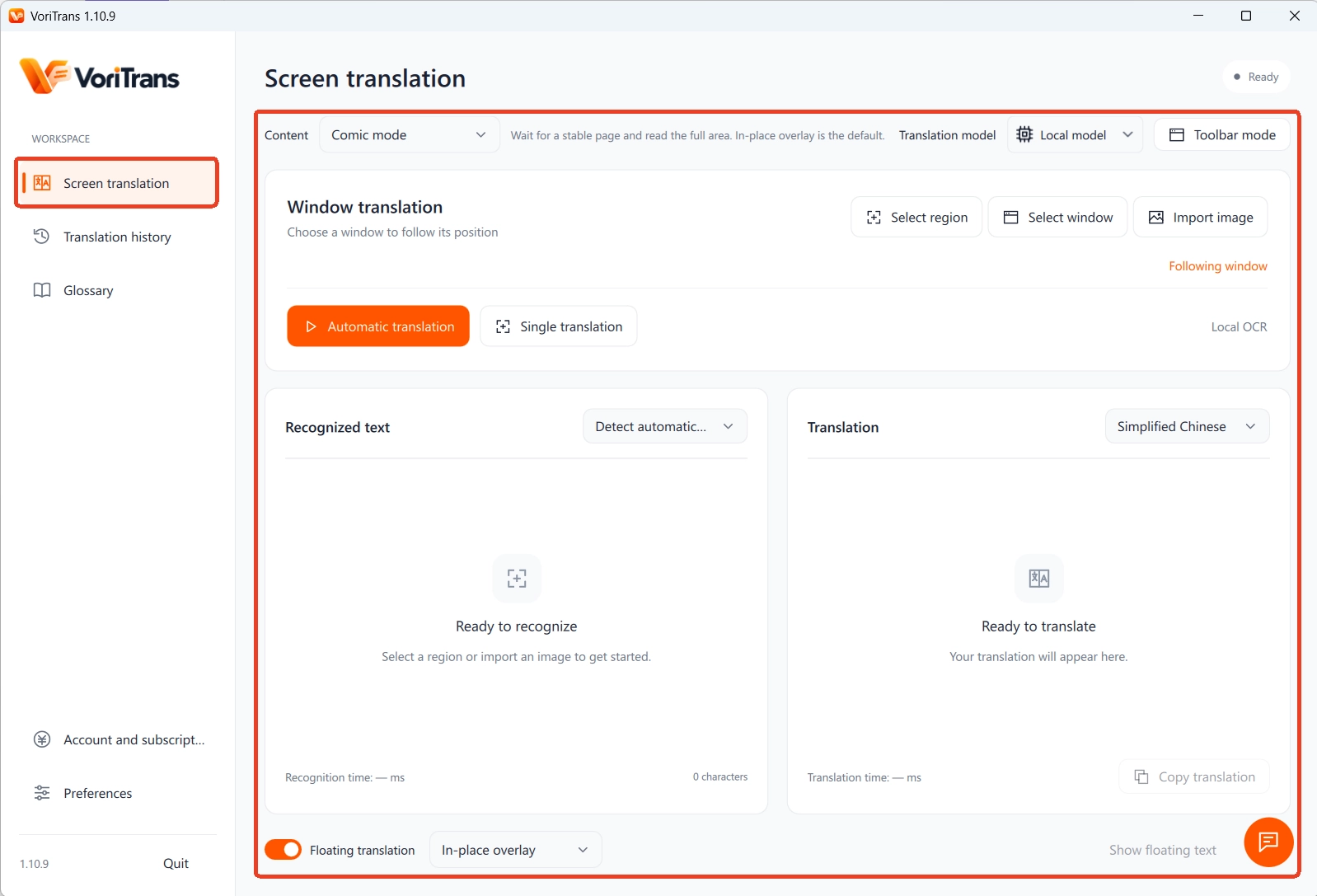
Step 2: Pick a content type and frame the screen. Depending on what you want to translate, choose one of the three modes — Game, Manga, or Video — then use "Select Region" or "Select Window" to frame where the text appears. A region stays in effect once set and follows changes on screen automatically, so you don't have to frame it again and again.
Step 3: Choose the "Local Model". This is what free credits are for. Keep the source language on auto-detect and pick your native language from the 105 available. Run the local model first to verify recognition and layout — it also uses the fewest credits.
Step 4: Turn on "Auto Translate" and choose a display style. Flip on the "Auto Translate" switch at the bottom left and set the translation mode to "In-Place Overlay" — the translation goes directly over the original text; if you'd rather see the context, switch to "Subtitle Bar". Run it over a few passages, confirm recognition is accurate and the translation lands where you expect, and the free trial has done its job.
Out of Credits? Three Ways to Top Up, Depending on Your Usage
How to refill once the free allowance runs dry depends on your usage level; three plans for three kinds of users:
- Light users (an episode of manga a month, gaming on weekends): the 2,000 credits after registering will very likely cover it — staying on the free tier is enough.
- Medium users (following serialized titles or gaming almost daily): the monthly membership grants bonus credits every month, and using the local model during membership doesn't consume credits at all. Subscribe month to month and pause anytime.
- Heavy or long-term users (long games, daily-updating manga, stockpiling credits): yearly billing is far better value than monthly; the lifetime license, a one-time purchase, bundles "permanent core benefits" with a large batch of credits that never expire — ideal if you know you'll use it long term.
For exact credit amounts and prices, rely on the real-time information on the official pricing page; all prices are in US dollars — numbers like these get adjusted with versions, so double-check before you order instead of budgeting with old figures.
Three Boundaries of the Credit System, Stated Up Front
Credits are a good system, but a few boundaries are worth spelling out so you don't develop the wrong expectations.
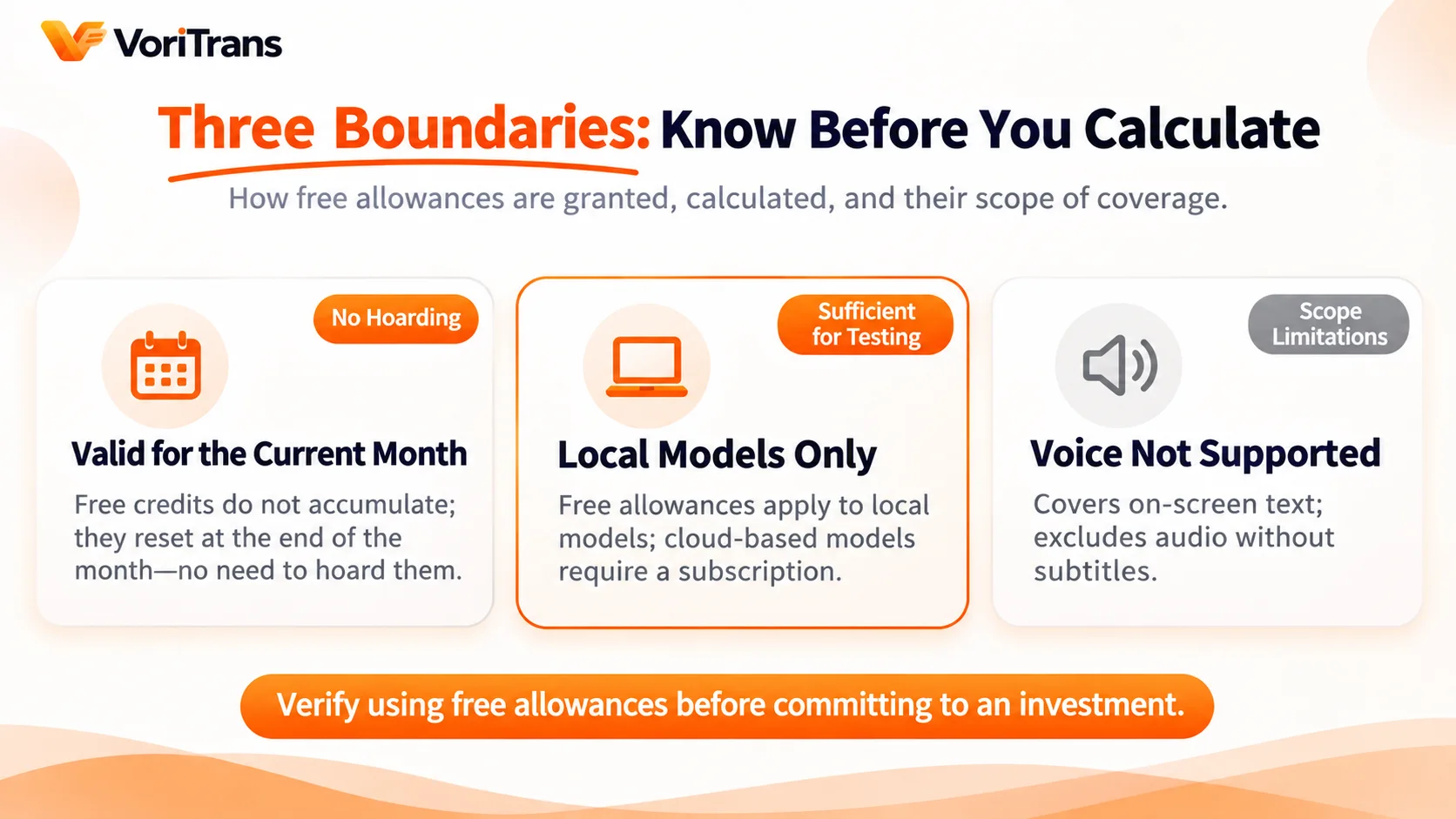
- Credits are valid for the current month: free credits don't carry over — whatever you don't use this month is wiped next month, so there's no point deliberately using more to "stockpile"; the credits bundled with the one-time lifetime license are the exception and never expire.
- The free allowance is limited to the local model: free accounts can't call the cloud models; cloud-grade context understanding requires membership benefits. The test is simple — if you can accept the local model's translations, you don't need to pay for the cloud.
- Speech can't be translated: screen translation covers text displayed on screen; spoken dialogue without subtitles and voice chats are out of scope — regardless of how many credits you have.
Get these boundaries clear and "free" stops being decision noise: whatever the free allowance can verify, verify it with the free allowance first.
FAQ
Can I use it without registering? What's the difference?
Yes. The guest identity needs no login and gives 1,000 credits a month, valid within the month, with full features; after registering, free credits rise to 2,000 a month. We suggest trying it as a guest first and registering once you know you'll use it regularly.
Can credits carry over to next month?
Free credits are valid for the current month and don't accumulate. If you're worried about them being wiped, the credits bundled with the one-time lifetime license never expire, or you can buy credit packs as needed — details follow the official pricing page.
Will I be charged automatically? Hidden fees after the free period?
No. The free allowance is an explicit rule — no payment method is attached and nothing upgrades automatically; upgrading to membership is an action you take and confirm yourself, and plan details and billing cycles are all visible on the Account & Subscription page.
You don't need a budget decision before reading foreign-language content: free credits bring the cost of trial and error down to zero. Install the client, frame the screen, pick the local model, and within ten minutes you'll know whether this tool works for your content — until the answer is clear, you don't spend a cent.